|
SiteRing by Bravenet.com
This
sitering is for all people who love their sheltie and have some information
about their sheltie on their webpage. It is designed to link together
sheltie-lovers' sites. The SiteRing can be individualised to reflect
how much you love your sheltie by changing the jpg image to an image
of your own dog. But first you need to sign up at bravenet, so
click here and fill in the required information, and the link there
will bring you back to this page for the rest of the installation instructions.
Now
that you are back you need to copy the following html code into your
own page and be ready to make some alterations.
Necessary Changes
- Find the
line of code that looks like < a href="mailto://YOUR EMAIL ADDRESS">YOUR
NAME</font></a>
Replace the words YOUR EMAIL ADDRESS with your email address.
Replace the words YOUR NAME with your name (and your sheltie's name
if you wish)
- Find the
five lines of code towards the end that all look alike and have the
words YOUR SITE ID.
Replace the words YOUR SITE ID in each of the five lines with the
site id number emailed to you by bravenet after your signed up.
- Save the following
image to your webpage directory by right clicking on this image and
"save as" or "save picture as" siteringtitle.gif
- Sitering Image
Options
A) If you want to use your own image
of your sheltie then find the line of code that looks like
< img src="YOUR IMAGE.JPG" width="101" height="113" border="0">
Replace the words YOUR IMAGE.JPG with the name of your image. (Make
sure you use the correct directory path to the image.) Then replace
the width with the correct width of your image and the height with
the correct height of your image. Please try not to exceed a width
of 120 and a height of 140.
 OR OR
B)
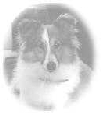
If you want to use the existing sheltie image then you need to right
click on this image and "save as" or "save picture
as" to your web page directory. Then find the line of code that
looks like < img src="YOUR IMAGE.JPG" width="101" height="113"
border="0">
Replace the words YOUR IMAGE.JPG with the name that you saved the
image as (it was named "siteringsheltie.jpg")
- Save your
page and upload the page and the two images to your server.
- Double check
you have the images correct and that the sitering looks right.
- I will visit
your site within a week and ensure the sitering is set up correctly
and I will add you to the ring so that visitors can surf to you. Remember
if you have problems simply email
me.

Background
graphic courtesy of 
|
